More than an evaluation form.
Sheet building, versioning, result bands, rhythm, 360 directions, states, logs, signatures — the way the system does it. The questionnaire is one screen of it.
Today five units, one sheet. Tomorrow a thousand people, monthly. The same system.
How deep shall we go?
Same system. Three depths.
Nine steps from building the sheet to signing it.
This is not a feature list. It is the order an evaluation actually travels through the system — and under every step is what the code really does.
-
You build the sheet
An evaluation sheet is a tree: groups inside groups, with the factors in them. A scoring scale can be reused — write it once, use it on several sheets — but any group or factor may override it with its own. A group can also be flattened when the structure helps you edit but would only get in the reader's way.
In the systemnestable factor groups · reusable point groups · custom scoring at group and factor level · flattenable group
-
You version it before it goes live
A sheet in the making stays a draft until you release it. The released version seals the whole factor tree, the result bands and the signature rules — which is why a fill from two years ago still means the same thing today, even if the sheet has been rewritten since.
In the systemdraft state per version · the factor tree, result bands and signers are sealed into the version
-
You say what the result means
A raw score says nothing by itself. You add bands — from, to, named, in points or per cent — and two thresholds: what counts as outstanding and what counts as weak. From then on the question is not the number but which band it falls into.
In the systemresult bands from–to, named, in points or per cent · separate good and weak performance thresholds · the fill stores the score reached, the maximum and the minimum
-
You set the rhythm
The sheet has its own active period, and the version has a fill frequency. You also decide whether a fill covers a period — “this half-year round” — or a point in time: “today”. That is what makes the same system fit both an annual round and a daily check.
In the systemactive period on the sheet · fill frequency on the version · a fill covers a period or a point in time
-
You assign it — and with 360 the direction matters
The question is not only who evaluates, but from where. The evaluator type carries the direction in the hierarchy and how many people evaluate from that type. Self-evaluation is a type of its own. A card ties one evaluator to the one fill they are responsible for.
In the systemcount and hierarchy direction per evaluator type · self-evaluation as its own type · one evaluation card = one evaluator + one fill
-
They fill it in, and you see who is left
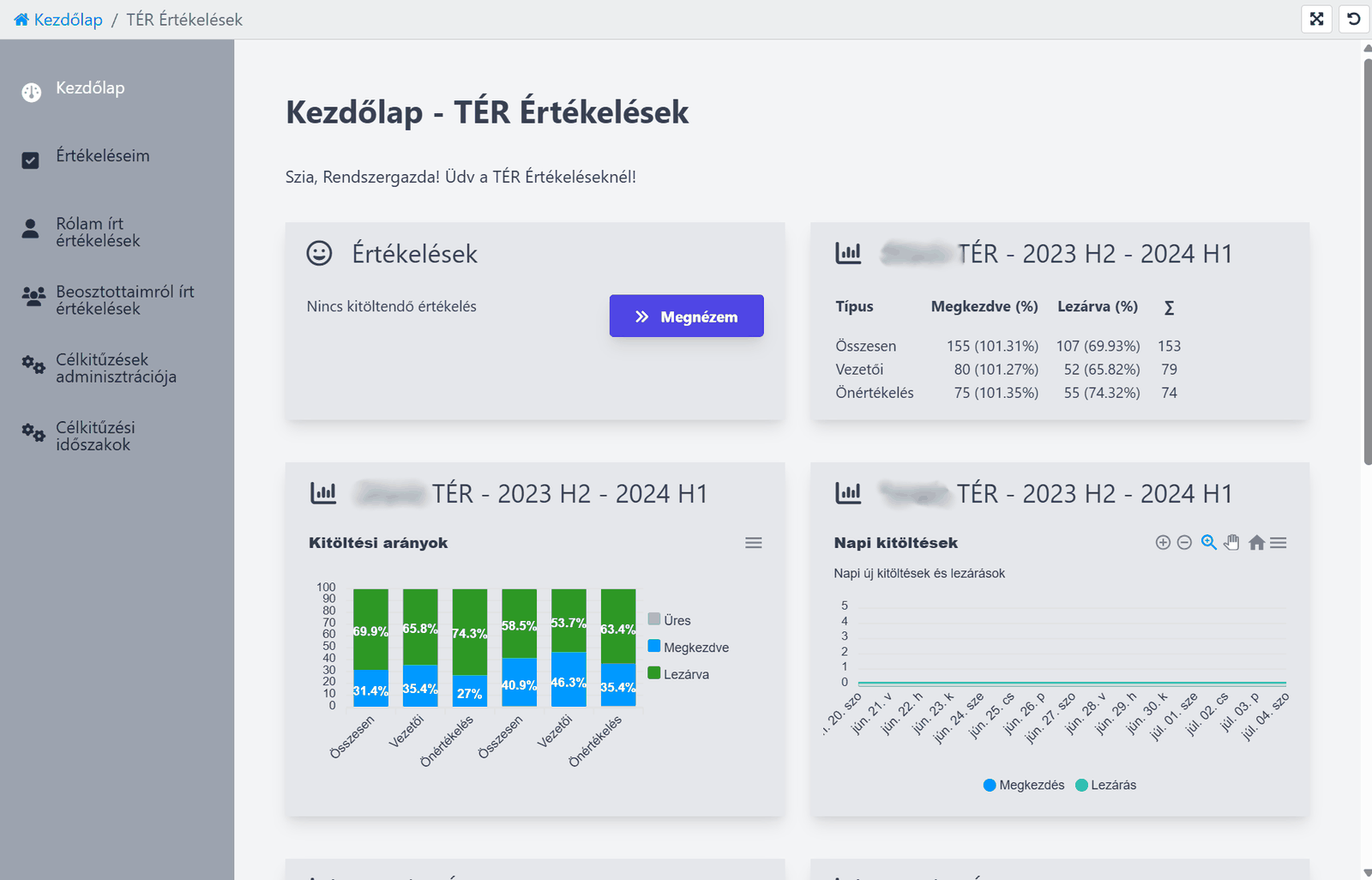
A fill saves as it goes, so nobody has to finish in one sitting. Anyone involved as an evaluator sees a number on their home screen: how many evaluations are waiting for them — more precisely, how many have not been approved yet.
In the systemsaves while filling, with a last-saved timestamp · home-screen counter for evaluation cards not yet approved
-
In a group, when the sheet is the same
When a manager has several people in the same role — and therefore on the same sheet — they do not have to go through them one by one. All of them open on one screen: competencies in rows, people in columns. So the scoring is not done in isolation; they are measured against each other, competency by competency. The same set can also be opened on tabs, for anyone who would rather take them one at a time.
In the systemseveral fills on one screen, one slider per competency per person · a running score per group per person and the maximum available · the same set on tabs as well · the round is launched from the manager's overview and returns there
-
Four states, four timestamps
A fill is not finished just because someone filled it in. It is created, evaluated, approved, accepted — each of the four with its own date and its own responsible person. And there is a fifth outcome: not evaluable. Every intervention is logged, by whom and when.
In the systemfour states with separate dates and separate owners · a distinct “not evaluable” state · an edit log per fill
-
Signing and notice — from a rule, not by hand
The set of signers is not assembled by whoever fills the sheet: the version says where they come from — the manager, the subtree below, the whole organisation, the evaluator themselves — and from which position. Some are real participants and get notified; others are only recorded, because they were present. If the result crosses a threshold, the manager gets an email about it.
In the systemsigner source is a rule: manager / subtree / full tree / the evaluator / anyone, filtered by position · per participant you see whether they were notified · automatic email to the manager when a threshold is crossed
The sheet is not the point. The nine steps underneath it are what hold.
A full process can be built around the competency review.
The classic evaluation sheet is deliberately closed and stable — it is the core of the system, and we did not stretch it to carry everything an evaluation might involve. Alongside it, though, further elements can be added that collect assessments of and feedback about the person. Out of those you compose an evaluation process exactly as involved as you actually need.
-
Goals
A goal is not a sentence at the bottom of the sheet. It has a round of its own, with one card per person per round, and the card has two separate phases: setting and evaluation — they close separately, under separate rights. A goal carries a title, a description and a criterion: how we will know it was met. You can also see who set it — the person or their manager.
In the systemgoal = title + description + criterion · the setting and evaluation phases of the card close separately · a goal can be approved · sub-goals, weight and showing the criterion are settings
-
Development needs
Not free text but three fields: what, how and by when. It has an author and an approver, and comments can be attached — so the next round does not have to recall from memory where you left off.
In the systemwhat · how · target date · author and approver · comments
-
Project evaluation
Where the work comes together in projects, projects sit under the round and a separate card is made per person, per evaluator. It does not carry a score alone: strength, area to develop, and result.
In the systemround → projects → evaluation cards · per card: strength, area to develop and result, broken down by evaluator
-
Comments
A comment can be attached to a goal, to the development plan and to the fill itself. That is what turns an evaluation from a closed document into the written trace of a conversation.
In the systemcomments on goals, development plans and fills — each with its own author
-
Metrics
How goals are scored is decided per round: either as a percentage — with a set maximum and decimal precision — or from a predefined list of points. The result can be a number, a text, or both. Not the same everywhere; it is a setting.
In the systempercentage or point-list scoring per round · the result is a score and/or a text · goal weight can be switched on
The core stays the same; the process is built from as many elements as make sense for you. That is what makes an evaluation a continuation rather than one closed file a year.
Competency heatmap
Where is the development need greatest?
At a glance you see which competencies the team is weak in. The darker cells of the heatmap are the weaker areas.
- weak spots stand out
- development from data, not gut feel
- broken down per person
A development plan needs no hunch. One glance at the map is enough.
Orange: this is where the team is weaker.
Look at it — don't read about it.
Real onePerformance reports: where the review cycle stands, and what to do with the result.
Where does the review cycle stand?
Who is it stuck with, and how is the campaign going?
What does the result show?
Where is the biggest development need?
Real system screens · customer and personal data redacted
Frequently asked questions
What managers and HR ask most.
How much extra work is this for HR?
What is 360° feedback?
What comes out of an evaluation?
Are results comparable across the team?
Do I find out if someone's result stands out?
Ready to use within a week.
With an employee list and the job roles at hand, the first review round can start within a week.
HR School is One Solution's strategic partner: offering practical HR support, training, and interim solutions to ensure that system implementation and operations succeed not just technologically, but professionally as well.
Contact
Email address
info@onelearning.infoPostal address
One Learning Zrt.
1021 Budapest, Budakeszi 51/D C.ép. II/5